Local SEO is getting more technical, and manual updates don’t scale. This release adds smarter bulk editing, a link between your profiles and your website, and a dashboard that tells you what to fix first, whether you manage a single flagship or a national network.
Intelligent Bulk Management
Managing a wide range of profiles takes speed and precision. We’ve reworked the bulk editing suite so you can control your data without repeating updates.
Smart Selection & Filtering
You can now select locations by specific criteria, such as profiles missing a cover photo or phone number, and update hundreds at once. Filter for the gap, then bulk upload the missing item.
Comprehensive Profile Optimisation
Edit descriptions, opening hours, special holiday hours, and attributes at the same time across multiple categories, for example, a portfolio that mixes retail and service-based profiles. Smart indicators show which locations each change applies to, so everything stays consistent.
Service Templates
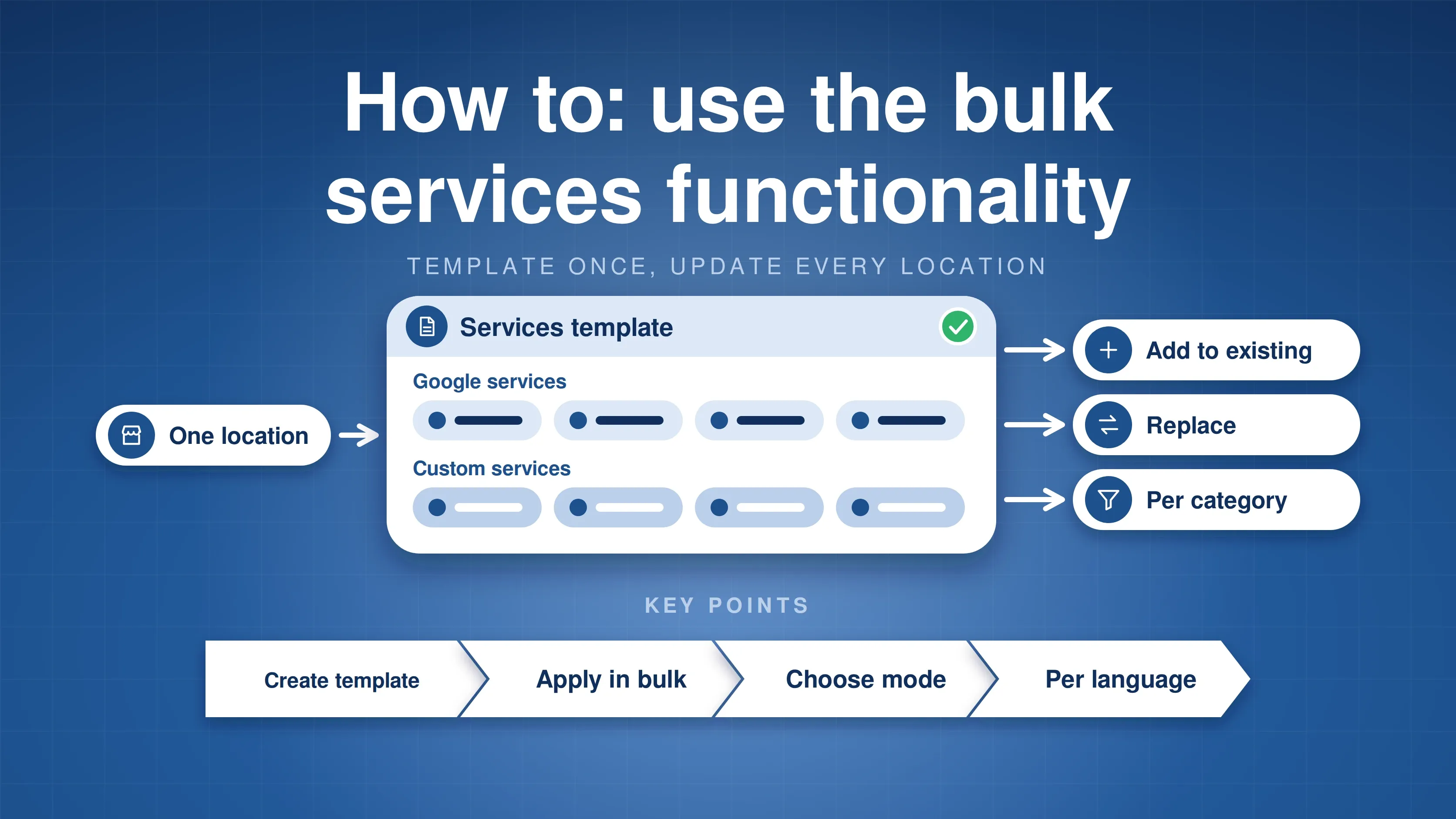
Optimise the service structure of one location, save it as a template, and deploy it across your whole network. Our bulk services guide shows how.
Localised AI Content
The new “Generate” feature uses AI and smart parameters to write localised service descriptions in multiple languages. Large chains keep a local feel for every branch while managing the content from a central hub.
Bulk Video Uploads
Upload video to every location or to individual profiles, straight from the dashboard. The bulk edit section now keeps a complete edit history, too.
Advanced Technical SEO & Syncing
Your Google Business Profile shouldn’t exist in a vacuum. This update connects your GBP data to the rest of your digital setup.
Local Business Schema Integration
Open a location, go to the Local Schema tab, click Copy Code, and embed the script in the body of your website. Multi-location businesses add each location’s script to its own subpage. When you update hours or contact details in GMBapi, your website’s schema updates automatically, and it now carries place action links, services with descriptions, special hours, and attributes. Set it up once, and your structured data stays current.
External API Access
For agencies and teams with custom workflows, there’s an API Key tab under Settings. Create secure tokens to connect your GBP data to tools like Zapier or n8n, without manual data entry. Our Zapier and n8n guide walks through the setup.
A Dashboard That Thinks for You
Data is useless without direction. The new dashboard turns raw metrics into a to-do list.
Health & Recommendations
The new Overall Health section and Recommendations engine flag your highest- and lowest-performing locations and give you specific tasks to improve visibility where it’s needed most.
The Revenue Estimator
Put a number on your results. Enter your average transaction value and conversion rates to see the estimated revenue your local SEO efforts are driving.
High-Speed Navigation
Table headers and footers are now pinned, and you can exclude a filter with a double tick and reset filters one at a time, so lists of thousands of locations are easier to work through.
Enhanced Citation Management & Presence
We’ve updated Citation Management with expanded vendor mapping for new locations, so your data stays consistent across more categories than before. The new Presence Score shows the ratio of live, updating listings to your total locations. Use it to find the locations with the lowest scores and fix the gaps in your local footprint first.
Google Verification Alerts
Keep your profiles live and searchable. Turn on Google Verification alerts under Settings, in the Notifications tab, and you’ll hear as soon as a location needs re-verification. GMBapi also stores the verification method used for each location, so you know how to restore it when needed.
The bottom line
This release cuts the manual work out of location management. From schema automation to bulk editing of missing data, these updates help keep your locations accurate and visible.
Log in to try them in your own dashboard, start a free trial, or see everything we’ve shipped in the changelog.
Prefer our local search coverage?
Add GMBapi as a preferred source on Google so our articles show up more often for you.